How to Get and Keep a Google Ad Grant
A practical guide to getting and keeping a Google Ad Grant, covering eligibility, the compliance rules, campaign structure, conversion tracking and a one-hour monthly routine.

- The Google Ad Grant gives eligible charities up to $10,000 a month in search ads, and keeping it depends on a monthly routine more than expertise.
- Most suspensions come from drift, so check click-through rate, conversions, keyword quality and account structure every month.
- Campaigns built around real search questions, each landing on a matching page, turn clicks into sign-ups and inquiries.
A small nonprofit keeps its Google Ad Grant by treating it as a monthly routine, with campaigns built around real search questions, conversion tracking that works and a short check of the compliance rules every few weeks.
The grant is worth the effort. Google's program gives eligible charities up to $10,000 a month in search ads, and it has sent more than 14 billion visits to nonprofit websites over its lifetime. Yet plenty of organizations win the grant, launch a few ads, and then watch the account get suspended because nobody looked at it for three months. Winning it is a form. Keeping it is a habit.
The good news is that the habit is small. A team of one can run it in about an hour a month once the account is set up properly, and if you'd rather have it built and handed over, skilled help is available in kind.
What the Google Ad Grant gives a small nonprofit
The Ad Grant gives eligible charities up to $10,000 in Google search ads every month at no cost. Your ads show when people search for the help, programs or causes you offer, which puts your website in front of people who are already looking for what you do.
Picture a youth mentoring program in a mid-sized city. Parents search for "free mentoring for teens near me" and volunteers search for "mentor a kid weekends". With the grant, the program's pages appear at the top of both searches. Neither group would have found it through social media, and the program pays nothing for the clicks.
The catch is the shape of the money. It can't be moved to other platforms or saved for later, and the grant only performs as well as the pages it sends people to.
Why so many nonprofits lose the Ad Grant within a year
Most nonprofits that lose the grant do it by drifting. The account gets set up during a busy launch, nobody owns it afterwards, click-through rates slip below the required minimum and Google pauses it. Reactivation is possible, but it takes work the team didn't have time for in the first place.
The scale of what's at stake is large. Grant recipients in California alone spent more than $237 million in free search ads in 2025, and that's one state. The charities capturing that value aren't the ones with the biggest budgets. They're the ones with someone checking the account every month.
Winning it is a form. Keeping it is a habit.
Who qualifies for the Ad Grant and how to apply
Registered charities in most countries qualify, including registered charities in Canada and 501(c)(3) organizations in the United States. Government bodies, hospitals, schools and most religious organizations are excluded. You apply through Google for Nonprofits, then request the Ad Grants product once your organization is verified.
Before you apply, make sure your website is on your own domain, loads securely and clearly explains your programs. Google reviews the site, and a thin homepage with a giving button and little else will slow approval down. A literacy charity with a page per program, a clear about page and contact details will usually move through review without trouble.
Verification can take a few days to a few weeks. Use the wait to set up Google Analytics so tracking is ready the day the account opens.
The compliance rules that keep your account active
Google's rules exist to keep grant ads useful to searchers. Breaking them leads to warnings and then a pause, so the table below works as a monthly checklist.
| Rule | What it means in practice | How to check it |
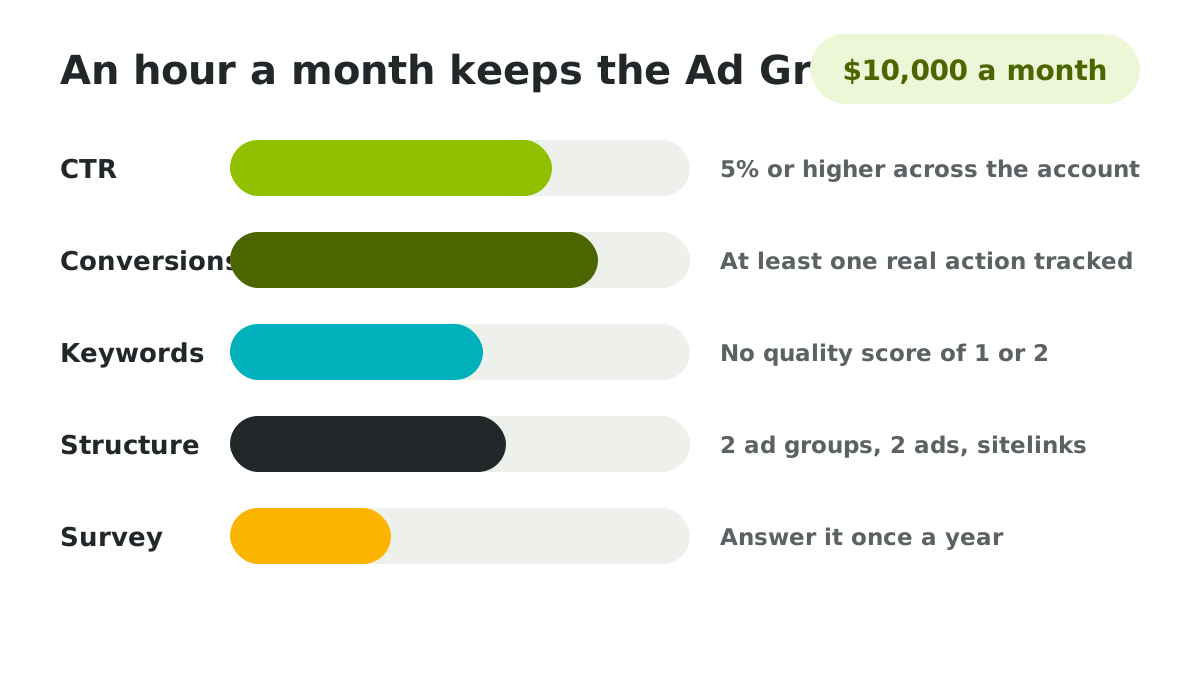
| Keep click-through rate at 5% or higher | At least one in twenty people who see an ad should click it, measured across the account each month | Look at the account-level rate for the last full month |
| Track at least one meaningful conversion | Something valuable must be measured, such as a volunteer sign-up or a contact form | Confirm conversions are recording in the last 30 days |
| Avoid low-quality keywords | Keywords with a quality score of one or two need to be paused or improved | Sort keywords by quality score and fix the lowest |
| Skip single-word keywords | Broad one-word terms like "charity" bring the wrong clicks and aren't allowed | Search your keyword list for any single words |
| Keep a sound account structure | Each campaign needs at least two ad groups, each with at least two ads, plus sitelinks | Scan each campaign once a month |
| Answer the annual program survey | Google sends a short survey each year and requires a response | Watch the account email for the survey notice |
Check your own account against these rules with the tool below. Enter what you see and it shows what's healthy, what needs attention and the order to fix things in.
Building campaigns around the questions people search
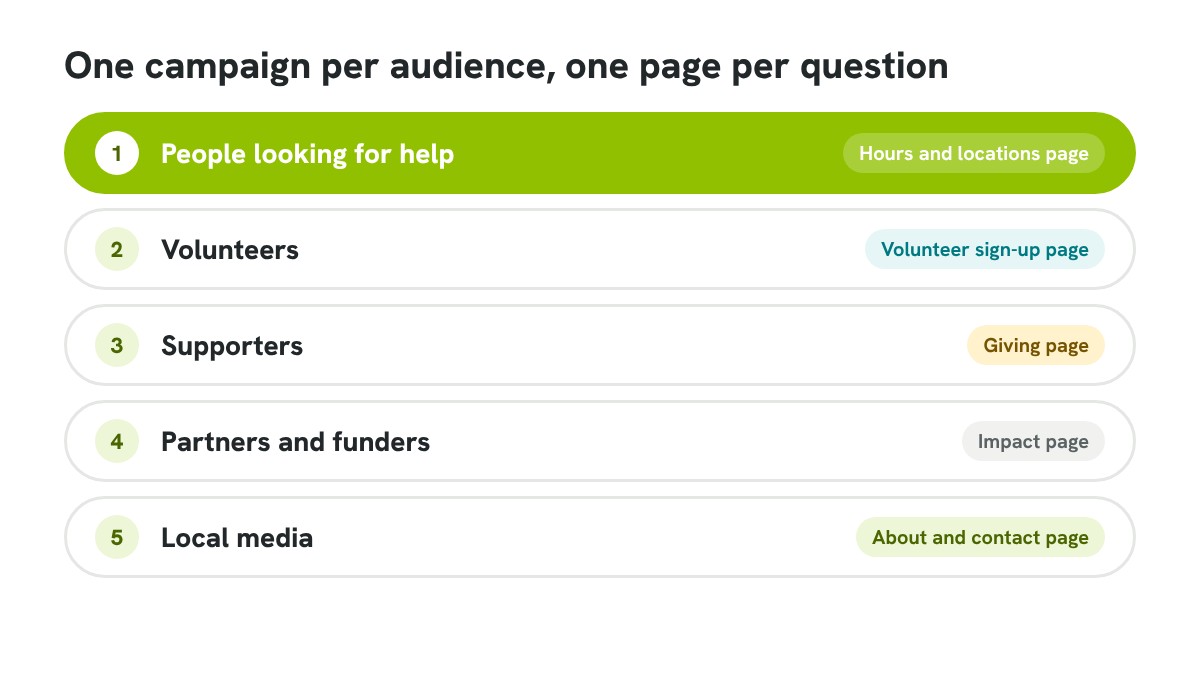
Campaigns work best when each one answers a group of real questions, with ads pointing to a page that answers them directly. Build one campaign per audience or program, keep keywords specific and send every ad to the most relevant page rather than the homepage.
A food bank might run three campaigns, one for people looking for food help, one for volunteers and one for supporters. The food help campaign targets phrases like "food bank open Saturday" and lands on the hours and locations page. That's how the ads in our work with Food Bank of Alaska were structured, and it's why each click had somewhere useful to land.
Write two or three ads per ad group and let Google rotate them. Ads that repeat the searcher's words in the headline and name a clear next step, such as finding hours or signing up, tend to clear the click-through threshold without any extra work.
Measuring what the Ad Grant actually brings in
Measure the grant by the actions it drives. Volunteer sign-ups, program inquiries, newsletter subscriptions and gifts started from an ad all count, and each one needs to be set up as a conversion in Google Analytics and imported into the Ads account.
Clicks alone can look healthy while nothing useful happens. An animal rescue might see 900 clicks a month and assume the grant is working, only to find that nobody filled in an adoption form because the landing page buried it. Once the form is tracked, the problem shows up in a week, and fixing the page does more than any keyword change.
Report three numbers to your board each quarter. Clicks, conversions and the cost those conversions would have had as paid ads.
Measure the grant by the actions it drives.
A monthly routine that keeps the Ad Grant working
A monthly routine of about an hour keeps most accounts healthy. Check the compliance numbers, pause what isn't working, add one new ad or keyword group tied to a current program and note what changed so next month's check is quicker.
Put it in the calendar on the same day each month. A health charity's coordinator might spend the first Tuesday checking the click-through rate and conversions, pausing keywords below the quality threshold and writing one new ad for the month's awareness campaign. If you run a weekly marketing routine already, this slots into the Thursday check in our guide to marketing with a team of one.
Keep a one-line log of each month's changes in a shared document. When results move, that log tells you why, and it means anyone covering for you can pick the routine up without guessing.
Every quarter, take thirty minutes for a bigger look. Retire campaigns for programs that have ended, add one for anything new and check that every landing page still matches the ads pointing to it.
Common Ad Grant mistakes that trigger a suspension
Most suspensions trace back to a short list of mistakes. Each one is easy to spot in a monthly check and expensive to fix after the account is paused.
- Leaving the account untouched for months after launch
- Bidding on broad terms that bring curious clicks and few actions
- Sending every ad to the homepage instead of a matching page
- Counting page views as conversions, which Google treats as invalid
- Ignoring the annual program survey email
If your account does get paused, fix the cause first and then request reactivation through the account. Google usually restores accounts once the rules are met again.
Getting help to run your Ad Grant
The grant rewards consistency far more than expertise. A charity that checks its account every month with a simple routine will outperform one that pays for a complicated setup and then forgets about it.
Where a team doesn't have the hours or skills to set the account up properly, that's the kind of project mentored apprentices take on at Layer Cake Foundation, in kind, building the campaigns and tracking and then training your team to keep them running. The setup is a few weeks of work. The habit that keeps the grant alive is an hour a month, and it belongs with you.
Start this month. Open the account, run the checker above and fix the first item on the list. That single step is how most healthy Ad Grant accounts began.